
How to Create a GPX File for Cycling Routes Free
Creating your own GPX file puts you in control of every kilometer. This guide walks you through the free tools and simple steps to build custom cycling routes.
GPX Files for Cycling
In this post I will show how to use Moguwind to create a GPX file. Most cyclists ride someone else's route or let turn-by-turn navigation decide for them. Building your own GPX is a different thing. You pick the roads you like, skip the ones you don't, and end up with a file that works on any device. It doesn't take paid software or technical skill, and it takes about five minutes.
What a GPX file is and why you would build your own
A GPX file is a plain text file holding GPS coordinates, elevation and waypoints. Every bike computer and cycling app reads them.
When you build your own instead of downloading a finished one, you decide:
- Which roads you avoid, because you know the traffic on them
- Which climbs, gravel sections or views you want in
- How long and how hard the ride is, for the shape you are actually in
- Whether you keep it for later or send it to the group
The file itself is the easy part. What it doesn't tell you is what the day will be like on those roads, and that's where most of the surprises come from.
How to create a GPX file in MoguWind Plan
You can do the whole thing in MoguWind Plan without leaving the page. No signup, no payment.
Draw it on the map. Open the planner, click where you start, click where you want to go. The line follows real roads, not a straight line between points. Add as many points as you like to take it the way you want, and remove any that end up in the wrong place.
Save it and download the GPX. Once the shape is right, save the route. It gets its own page with a GPX button, so the file is one click away and ready for your head unit.
That's the short path. There are two more that are faster still.
Edit or clone an existing route into your own GPX
Most of the time you are not starting from nothing.
If you already have the route, open it and edit it. Move a point, cut a section, extend it, flip the direction. Then download the GPX again. Useful when you want your usual loop with twenty extra kilometres, or the same ride without that one road.
If someone else has it, save it to your own routes and change what you want. Somebody rode a good loop in an area you don't know, you take it, move the start to your hotel, cut the part that doesn't fit, download the GPX. You have a cycling route made from local knowledge you didn't have.
Cloning and editing is how most good routes get built. Almost nobody draws from scratch when a decent version already exists.
Other free tools to create a GPX file
These three also export GPX and are worth knowing.
Komoot. Free web version. You place points on the map, it finds the cycling path between them, and it offers a few route variants so you can pick the fast one or the scenic one. Save the route, then download it as GPX from the menu.
BRouter. The one with most control over the routing itself. You pick a cycling profile (road, gravel, mountain bike, touring), place your points, and it recalculates instantly. Good when you care about exactly how the router behaves. The web planner exports GPX directly.
Strava route builder. Handy if your rides already live there. You click points, it snaps to roads used by other cyclists, and the route sits next to your activity history. Export the GPX from the route page.
Any of them gets you a working file. Whichever you use, the next step is the same.
Check the wind on your GPX before you ride
Here's the part no route builder covers. Your GPX has a fixed distance and a fixed elevation profile. The wind changes every day and every hour, and on flat ground a steady 20 km/h headwind costs you about as much as a constant 3 to 4% gradient.
The difference is that you can see the gradient on the elevation profile. The wind direction you find out about at kilometre 60.
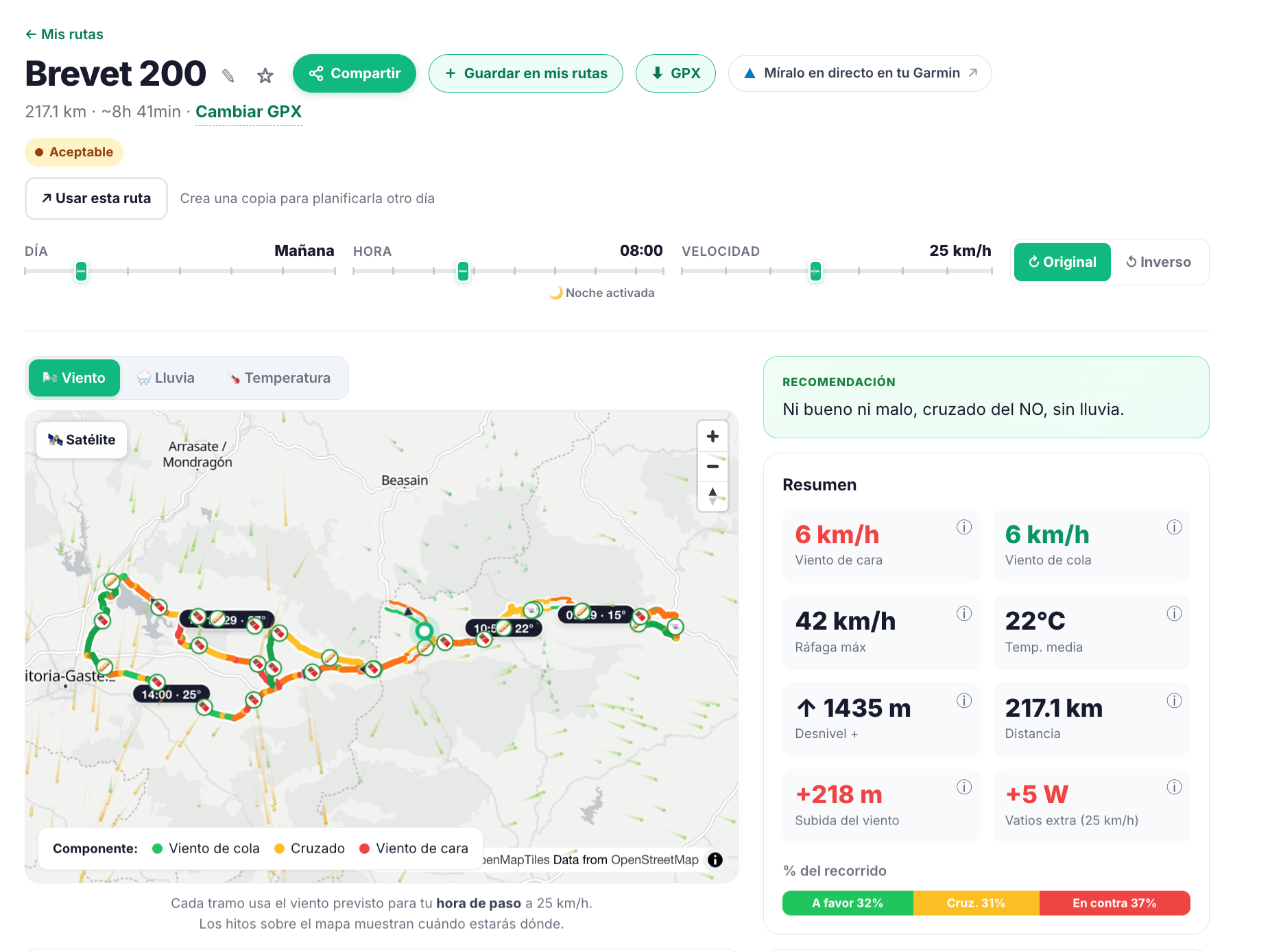
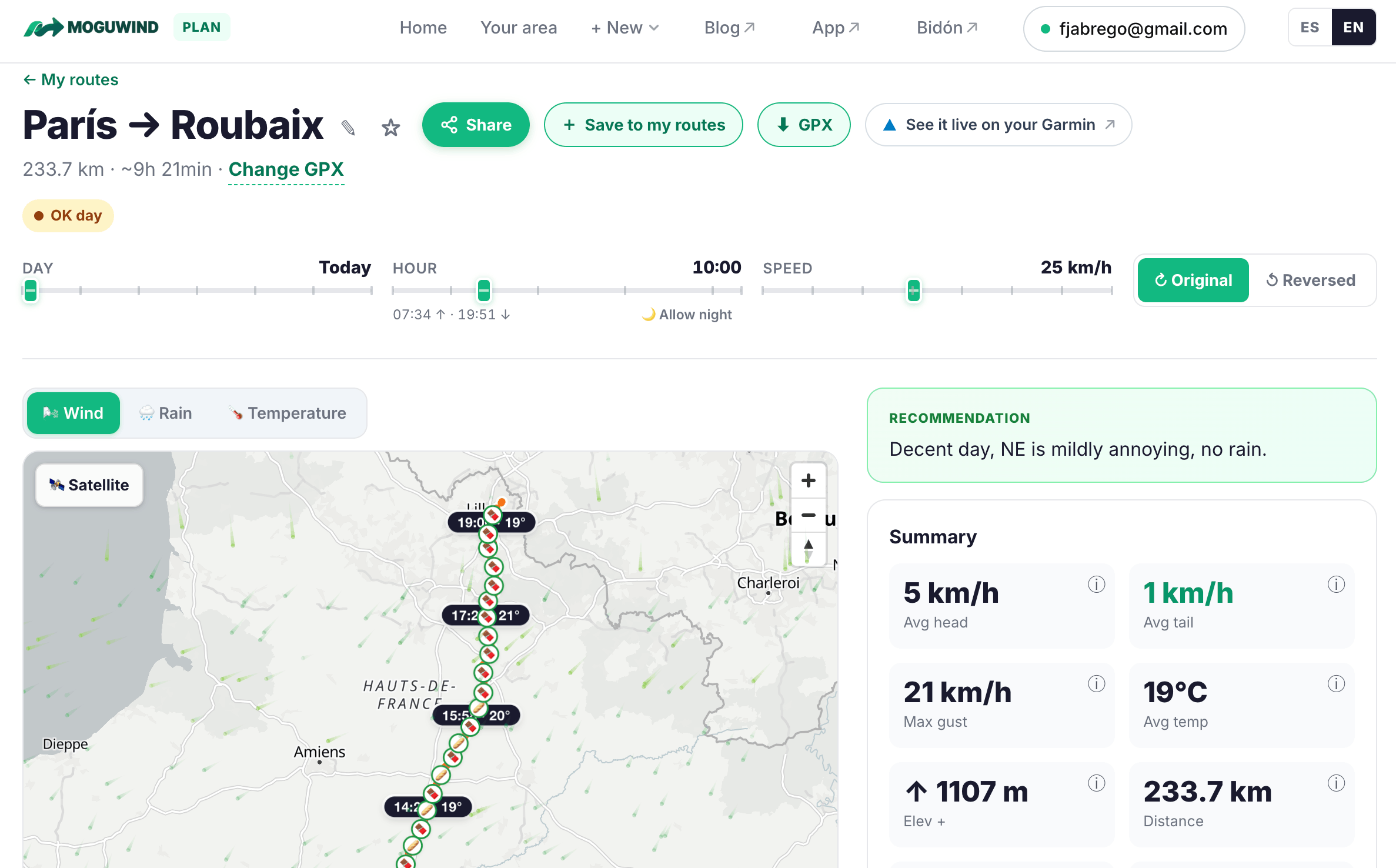
Drop your GPX into MoguWind Plan, set the day, the start time and your average speed, and the wind profile breaks the route down kilometre by kilometre. Red for headwind, amber for crosswind, green for tailwind. What matters is not the average, it's where the red sits. Thirty kilometres of headwind at the start is a ride you can manage. The same thirty at the end is a different day.
If your route is a loop, it also tells you which direction to ride it. On an exposed loop that's worth four or five km/h of average speed, which is twenty minutes on a four hour ride.
Tips that save you trouble when you create a GPX file
- Test the file before the ride. Load it onto the head unit you'll actually use. Finding out at the start line that it won't open is a bad way to begin.
- Go easy on waypoints for long routes. Past 100 km, hundreds of them can slow down older devices.
- Use waypoints for things that matter. Feed stops, a turn that's easy to miss, a viewpoint. Not every junction.
- Look at the elevation profile before saving. Routers sometimes pick the hilly option when a flatter road runs alongside.
- Name it so you recognise it later. Something like "Lake loop 50k gravel" beats "route 4" when you have thirty of them.
Where to load your GPX file once it is done
- Straight onto a Garmin Edge or similar over USB
- Into Komoot, Strava or Wahoo for turn by turn navigation
- Sent to whoever is riding with you
- Into MoguWind Plan to see the wind for the day you're going
Building a GPX is one of those small skills that changes how you ride. You stop following other people's routes and start deciding where you go. Draw it, clone it or edit one you already have, check what the wind is doing, and head out knowing what's coming.
Wind shapes more of your ride than you think.
Create your route and see its wind before you rideKeep reading about planning routes with wind.