
MoguWind Direction Picker: Choose Your Best Cycling Route
The Direction Picker is a MoguWind feature that lets you compare the same route in two different directions—headwind or tailwind—so you can choose the smarter ride before you start.
Most cyclists plan a route and ride it the same way every time. The wind does not care about habit. The direction picker in MoguWind solves a simple problem. Should you ride this loop clockwise or anticlockwise today? Should you head out toward the coast or away from it? The tool works out the wind for both directions and shows you which one puts the wind at your back when you need it most.Let's see a direction picker for a cycling route
See the wind at every kilometre of your next ride, before you leave.
Plan your route with MoguWind →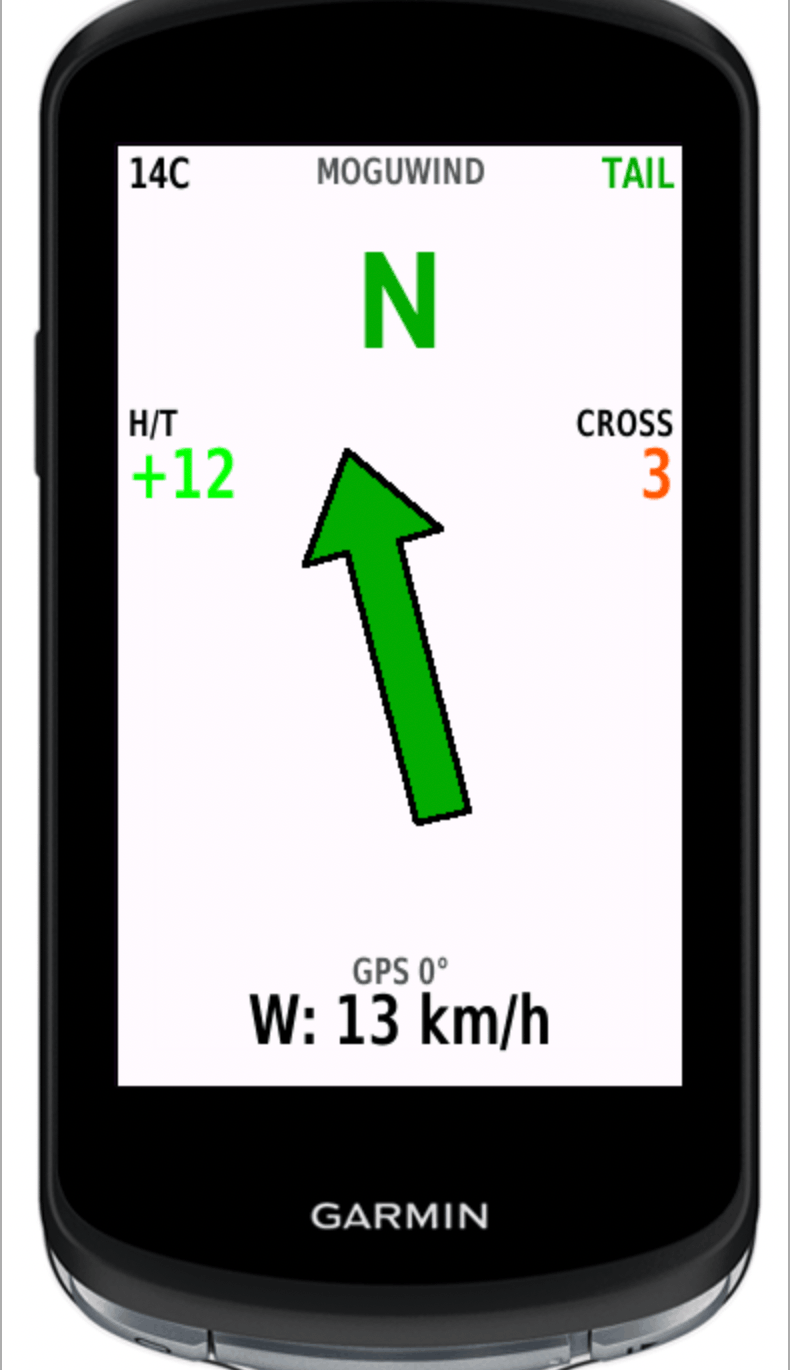
Why Direction Matters More Than You Think
Wind speed and wind direction are the two biggest variables in how a ride feels, yet most riders only think about one of them. A 20 km/h headwind on the way out and a 20 km/h tailwind on the way back sounds balanced. It is not. Fighting a headwind over the first half burns energy fast. A fresh tailwind on fresh legs lifts your speed and your mood. The same route, reversed, flips that completely.
Most weather apps like Windy or Ventusky, and the forecast built into your phone, show you an average wind for your area or a single wind arrow. They do not tell you how the wind will hit your route, kilometre by kilometre. The direction picker goes further. It shows the wind for the same route both ways, so you are not guessing.
How the Direction Picker Works
In MoguWind Plan, once you create or import a route, you can flip its direction. Do that and the app recalculates straight away.
- The wind speed and direction for every kilometre of the reversed route.
- The overall difficulty, how much headwind you will fight across the whole ride.
- The better direction at a glance, based on the current forecast.
The wind data comes from Open-Meteo and updates when the forecast changes. You are not looking at static numbers. You are seeing what the forecast predicts for the exact day and time you plan to ride.
Comparing Wind Directions, a Real Example
Imagine a 50 km loop you ride twice a week. Clockwise, you climb into a northwest wind for the first 20 km, then enjoy a tailwind on the descent. Anticlockwise, you descend into a headwind, which is slower and gives you less control, then climb with a tailwind. The direction picker puts both side by side.
- Clockwise, roughly a 15 km/h headwind on the first half and an 18 km/h tailwind on the second.
- Anticlockwise, roughly a 20 km/h headwind on the descent and 12 km/h on the climb.
Clockwise wins. Not by a lot, but enough to change your average speed and how you feel at kilometre 40.
You picked the smart direction. Now see the wind live on your Garmin as you ride it.
Get MoguWind for Garmin →Smarter Ride Planning with Direction Data
The direction picker is at its best when you match it to your session and your legs. On a hard interval day, pick the direction that gives you a tailwind for your main efforts. On a recovery day, maybe you want the easy feeling of a long tailwind for the last 15 km. Trying a new route? Comparing directions shows you its wind character before you add it to your regular rotation.
It helps on longer days too. A 100 km route can feel like two different rides depending on whether you loop back into a friendly wind or push into a headwind. MoguWind works out the wind for each kilometre at the exact moment you will be there, so you get the real picture, not an average for the whole ride.
When to Use the Direction Picker
Reach for it when any of these is true.
- You ride the same loop often and want to set it up for today's wind.
- You are planning a new route and want the best direction before your first ride.
- The wind is forecast to be strong, over 15 km/h, so direction really changes the difficulty.
- You are training for power and want your hard efforts where the tailwind helps.
- You keep wondering why one direction of a loop always feels harder, even on calm days.
Direction Picker vs General Weather Forecasts
Generic weather apps tell you it is windy. MoguWind tells you where, when and how much wind your route will get, segment by segment. Strava logs the rides you already did. The MoguWind app for Garmin and the web planner show you the wind you are about to face. There is a big difference between "it is windy today" and "this direction puts a headwind on your hardest climb, the other puts a tailwind there". The direction picker is built on that difference.
Planning your route with the wind in mind is one of the easiest gains in cycling. You do not change your fitness or your gear. You change your tactics. The direction picker makes those tactics visible before you leave home. Compare your favourite loop both ways and you will probably find one direction that suits today's wind and your legs better. That is the whole point. Riding smarter, not harder.
Want to try it on a real route? Open this example and flip between directions to see how the wind shifts kilometre to kilometre.
Free to install. Takes two minutes on the Connect IQ Store. Works on 24 Garmin devices.
Get MoguWind for Garmin →Keep reading about planning routes with wind.